TRADING
Trade history
Every transaction that touches your balance, with timestamps, amounts, and tx hashes.
Open the History tab. Use the All / Buy / Sell / Convert filter chips in the top-right to narrow by event type. Click any row for the full receipt.
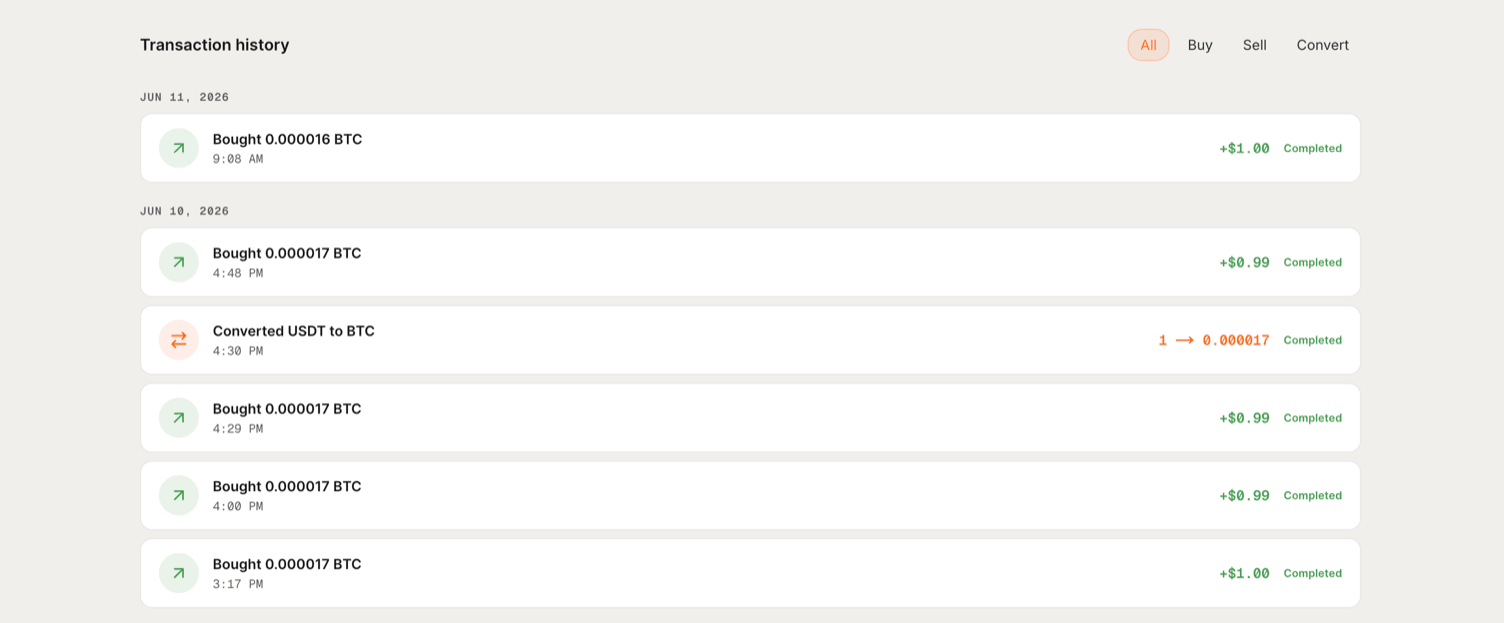
What appears here
- Swaps. Input token, output token, amounts, price impact, and tx hash.
- Auto-earn events. Deposits into pools, rebalances, fee accruals.
- Card spends. Once the card is live on mainnet.
- Faucet claims. SIZE and stablecoin deliveries.
Filtering and finding a trade
Use the filter chips at the top of History to narrow by event type. Click any row to expand the full receipt, including the tx hash and the privacy moment for swaps.
Verifying a specific trade
Copy the transaction hash from the receipt and paste it into the Seismic block explorer. The explorer shows the trade settled, but the inputs (your wallet, your amount) stay private.
See Verifying privacy yourself for the full walkthrough.
The privacy moment
After your swap settles, Sedona shows a privacy moment screen. This is the part that's different from every other DEX.
How privacy works
Privacy on Sedona is hardware-enforced. Validators see only ciphertext, not your wallet, not your trade size, not the order. This is what's actually happening.